Watch the webinar, and learn about Chatter Developer Preview:
- Understand the rich and powerful Chatter features
- Get to see a demo illustrating the value of Chatter
- Learn about the tools for customizing your apps with rich social media
Be Good & Do Good!
Watch the webinar, and learn about Chatter Developer Preview:
- Understand the rich and powerful Chatter features
- Get to see a demo illustrating the value of Chatter
- Learn about the tools for customizing your apps with rich social media
When Twitter was designed, they took a different approach—they didn’t require a relationship model like that of a social network. Keeping things open meant you could browse their site to read tweets from friends, celebrities, companies, media outlets, fictional characters, and more. You could follow any account and be followed by any account. As a result, companies started interacting with customers, celebrities connected with fans, governments became more transparent, and people started discovering and sharing information in a new, participatory manner.
Twitter have developed a new set of frameworks for adding this Twitter experience anywhere on the web. Soon, sites many of us visit every day will be able to recreate these open, engaging interactions providing a new layer of value for visitors without sending them to Twitter.com.
Our open technology platform is well known and Twitter APIs are already widely implemented but this is a different approach because we’ve created something incredibly simple. Rather than implementing APIs, site owners need only drop in a few lines of javascript. This new set of frameworks is called @anywhere

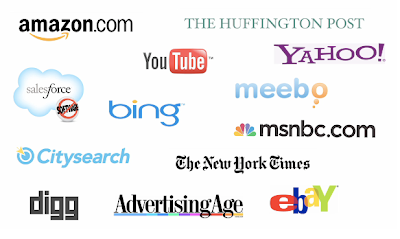
Above image lists initial participants who will be using the new Twitter experience over the web!
Salesforce.com sends email from 34 different IP addresses. If your organization blocks any of these IP addresses, users might not receive all email sent from Salesforce.com.
The Salesforce.com IP ranges are:
- 202.129.242.64 to 202.129.242.65
- 204.14.232.64 to 204.14.232.79
- 204.14.234.64 to 204.14.234.79
Whitelist above Salesforce.com IP ranges on organization’s email server. Whitelisting an IP address allows the email server to receive email from an IP address that might otherwise be blocked
Google introduced the Blogger Template Designer | http://blogger.com/templates
The Blogger Template Designer allows you to create effectively infinite number of designs templates instead of being restricted to a limited number of rigid designs by making it easy to customize your blogs design, layout, background and much more.
Apache Axis2 Eclipse Plugins allow Web service developers to easily and speedily expose the available plain old Java applications as Web services.
wso2.org lists a tutorial by Lahiru Sandakith which consists of two parts, with two examples that walk you through developing and deploying a sample Web service using the Top-down (Contract First) and Bottom-up (Code First) approach using Axis2 Eclipse Plugins.
The tutorial is written for Eclipse SDK v3.2 and Axis2 Eclipse Plugin v1.3.
Read the tutorial at http://wso2.org/library/1719
Sometimes there is a need to align(float) few of the columns of datatable to right for eg., List Price in Opportunity Products page functionality is shown in right aligned style.
In those cases, use following piece of snippet to render the column header and column values in right aligned manner
<apex:column width="23%">
<apex:facet name="header" >
<apex:outputPanel id="datePanel" style="float:right;">Role</apex:outputPanel>
</apex:facet>
<apex:OutputLink style="float:right;" target="_blank" value="/{!UserRoleName}">{!UserRole.Name}</apex:OutputLink>
</apex:column>
Highlighted in above code are two different approaches
Today, I enabled new user Interface on one of my developer org and noticed that it’s not supported on all browsers. There’s a small warning box that appears the moment you select the New User Interface.
You need to contact salesforce support in order to enable New User Interface feature. Once enabled, to set up your User Interface please access Setup | Customize | User Interface.

apex-lang is an open-source library of helper classes written purely in apex whose goal is to address shortcomings in the core apex classes. (If you’re not familiar with apex, apex is the programming language provided by salesforce.com’s development platform and is essentially a trimmed down version of java with added syntax for exploiting the force.com platform.)
apex-lang was inspired by the Apache Commons Lang project whose creators had a similar goal of addressing gaps in java’s core API. apex is fairly feature rich; however, let’s face it, functionality in its core API is sorely lacking. And why shouldn’t it? salesforce.com is in the “on-demand platform” business, not the API building business.
On the other hand, apex-lang is very much in the API building (not for profit) business. So, its the intent of apex-lang to fill in the gaps in the core apex classes. And to fill them more quickly than salesforce can. Salesforce only has 3-4 releases a year; in contrast, apex-lang can be released as many times as needed during a single year.
Install to:
Production as Managed Package
Sandbox as Managed Package
Production as Unmanaged Package
Sandbox as Unmanaged Package
Alternatively, you can Download the source or Browse the code
Also available on AppExchange @ http://sites.force.com/appexchange/listingDetail?listingId=a0N30000001qoYfEAI
Ack : Richard.Vanhook
Scenario
I had a Visualforce page where the second field is a date field. Everytime the page loads, salesforce automatically brings the date field in focus and the calendar widget pops up. This can be very confusing to the users as the date field is required to be populated only in certain cases. Is there a way to remove the focus or allow me to have some other field in focus?
Solution
Create hidden element inside form
<input id="hiddenElement" type="hidden" />
Add following JS code to add an window.onload event to set the focus to the hidden element
<script type="text/javascript">window.onload = setFocus
function setFocus() {
document.getElementById(“hiddenElement”).focus();
}
</script>
To conclude, ..
So no longer the page load will default the focus to Calendar field and no longer the pop-up will hinder the page view.
nJoy Coding!!
Stumped by foreign languages when you’re traveling? Google Inc. is working on software that translates text captured by a phone camera.
At a demonstration Tuesday at Mobile World Congress, a cell phone trade show in Barcelona, an engineer shot a picture of a German dinner menu with a phone running Google Inc.’s Android software. An application on the phone sent the shot to Google’s servers, which sent a translation back to the phone.
It translated “Fruhlingssalat mit Wildkrautern” as “Spring salad with wild herbs.”
There was no word on when the software would be available.
Software that translates text from pictures is already available for some phones, but generally does the processing on the phone. By sending the image to its servers for processing, Google can apply a lot more computing power, for faster, more accurate results. The phone still won’t order for you, though — you’ll have to point at the menu.
The demonstration was part of Google CEO Eric Schmidt’s keynote speech at the trade show, the largest for the wireless industry. He said phone applications that take advantage of “cloud computing” — servers accessible through the wireless network — will bring powerful changes to the industry.
© 2026 Ye Meri Life Hai – Chirag Mehta
Theme by Anders Noren — Up ↑
Recent Comments